Prepare product images for Shopify and Etsy
Prepare distinct Shopify and Etsy product photos using official dimensions and verified local exports.
Export separate listing files from the same high-resolution original and review each crop in the shape it will appear. Shopify recommends 2048 × 2048 pixels for square product photos, while Etsy recommends at least 2000 pixels in both dimensions for listing photos and advises using a landscape first image for its thumbnail crops. In the measured example, one bowl photograph yielded a 2048 × 2048 Shopify square and a 2800 × 2100 Etsy landscape. Both exports were JPEGs with an embedded sRGB profile, and both were reopened to confirm their dimensions, color profile and framing.
What to look for
Use this guide when a single product photograph has to appear in both a Shopify store and an Etsy listing, and the image loses breathing room or shows a misleading crop after export. It also helps if you are deciding whether a smaller file is appropriate after an upload stalls. Decide which visible material, color and edges need to stay in view before setting the dimensions.
The measured case is a still photo of one physical object, composed against a plain background. The bowl lip, side and foot are visible, and the shadow extends to the right. The versions preserve the visible object and vary the frame. Product sets, things sold in several sizes and products with transparent parts may need differently composed source photos or clean supplementary photos. Keep the lead image clear about what the buyer would receive.
Why it happens
Before you begin
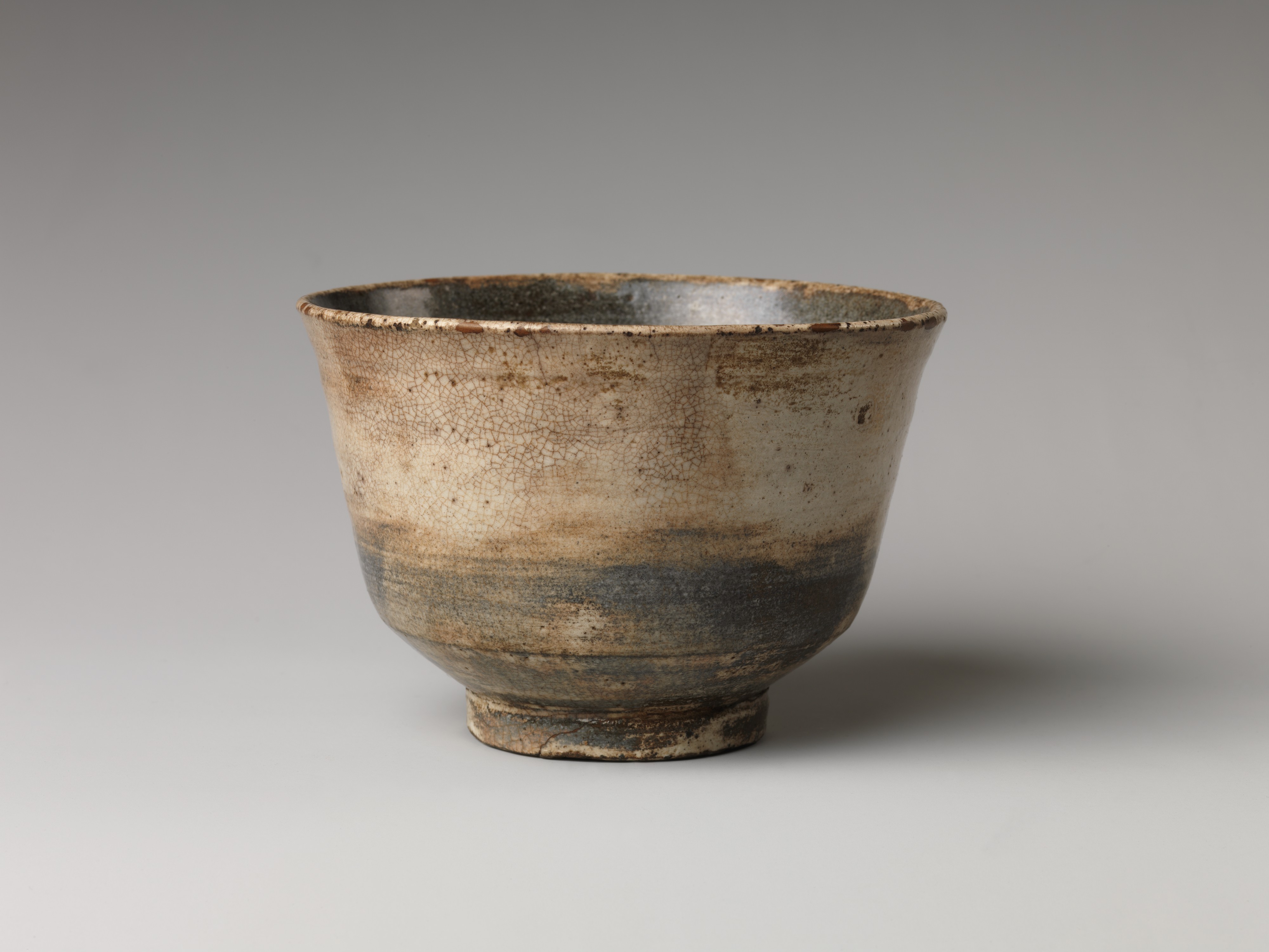
Use a real photograph with enough room around the product or download the example. The source is the photograph of Bowl on The Metropolitan Museum of Art collection record, released through The Met Open Access program as public domain under CC0. Credit: H. O. Havemeyer Collection, Bequest of Mrs. H. O. Havemeyer, 1929. The original file, met-bowl-original.jpg, is a 4000 × 3001 JPEG with an embedded sRGB profile. The exports are shopify-bowl-2048.jpg and etsy-bowl-2800x2100.jpg. The collection object is a framing reference for this test.
Keep the original as a master. Have a method to set a crop without stretching the photo, a way to convert the color profile to sRGB, and a way to open the exact files after saving. Decide what a shopper must recognize in a small thumbnail. In the case here, the full rim and foot matter to the outline. The side shading and glaze detail should remain recognizable when the file is opened at a larger size.
Record the official limits and recommendations beside the filenames. Requirements can change and views can differ with a theme or thumbnail placement. The two current help pages cited below describe product or listing images. Logo sizes, store banners and collection artwork have their own contexts and may need separate settings.
Steps
Write down the destination rules.
Shopify’s documentation says product and collection images can be up to 5000 × 5000 pixels or 25 megapixels and must be smaller than 20 MB. It recommends 2048 × 2048 for square product images. The same guide points out that the online store theme influences the way images are displayed. Record the square recommendation beside any framing requirements of your own theme. Shopify Help Center, Product media types
- Etsy recommends listing photos at least 2000 pixels wide and high. Its guidance says the first photo should be at least 635 pixels on each side to avoid lower placement in search, and favors a landscape or square lead image with the subject centered. The thumbnail advice recommends a landscape frame with crop room. The page also notes that images above 1 MB can have trouble finishing an upload over a slow connection. Treat that last number as upload troubleshooting guidance. Etsy Help, Requirements and Best Practices for Images in Your Etsy Shop
Prepare the master before cropping.
Open the original at a useful zoom and examine the subject all the way around. Note details a crop must keep. For the bowl those include the left and right edges of the opening and the small foot at the bottom. Look for the actual orientation of the object. If your editor applies orientation metadata automatically, confirm the re-export opens upright in an independent viewer. Keep the color file’s intended interpretation with the master. Our export script reads the embedded profile, converts to sRGB with Pillow’s color management, then embeds the destination profile in the saved JPEG. This also makes the output easier to inspect in another color-managed program.
- When your available original was already cropped tight, use a different source or photograph the item with more space around the edge for a thumbnail crop.
- Stretching the image to a requested proportion changes the shape a shopper will see.
- Check marks such as knobs, handles or lettering that make a silhouette easily recognizable.
Make the square Shopify version.
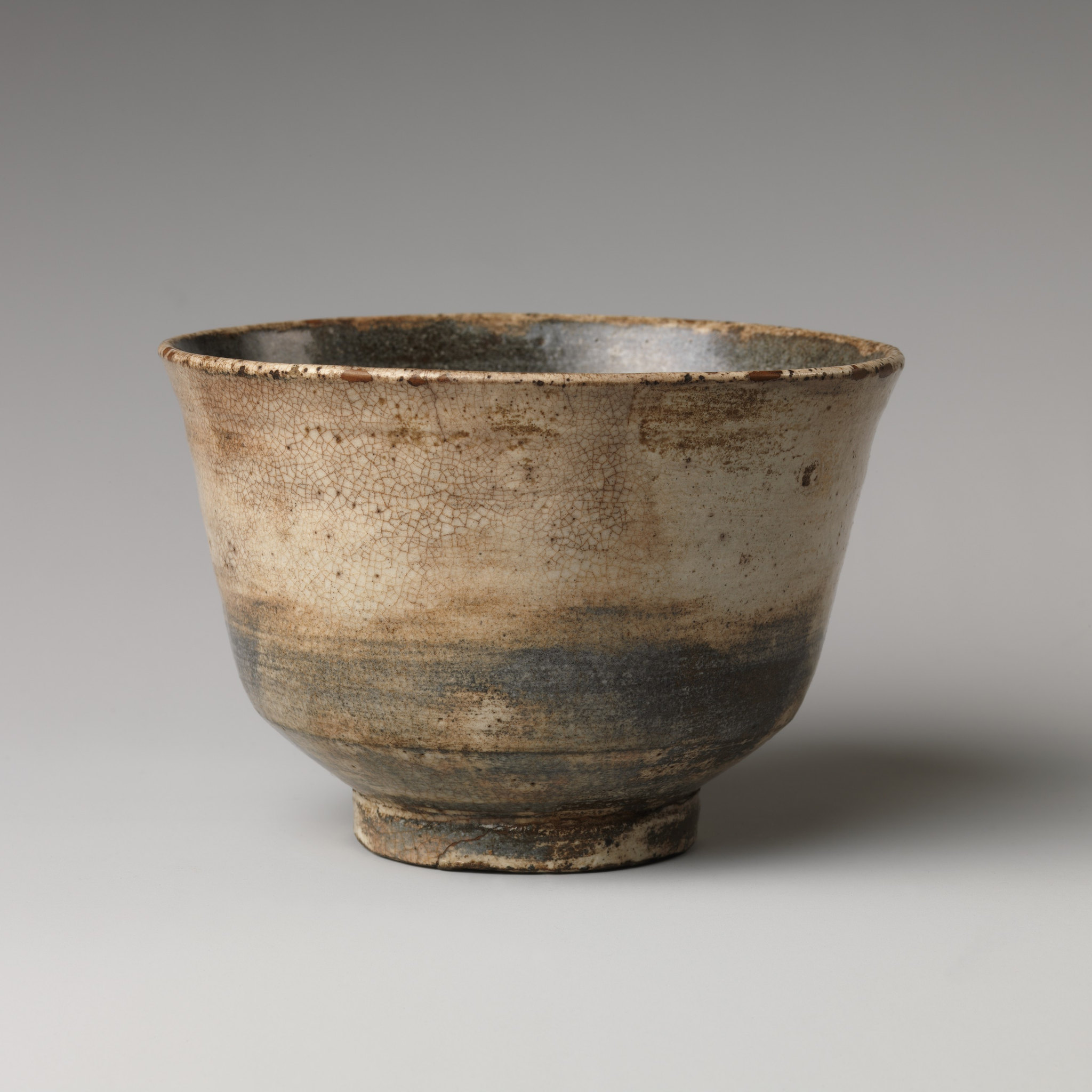
Set a square crop and enclose the complete item with room on each side. On the sample, the centered square removes background at the sides and keeps the entire rim, base and enough of the shadow to read the shape. Then resample that crop proportionally to 2048 × 2048. The measured script used Pillow’s Lanczos resampling. Save the image as a JPEG and include the profile. Open the saved file, confirm both sides are 2048 pixels and check the color and texture at a useful viewing size. The saved example was 390,339 bytes.
- If your theme places a series of images in a consistent grid, look at it alongside another product photograph after making the local files.
- Compare the margin, relative size and visibility of the item in that context.
- A local square preview can verify the shop file itself.
- The display of a theme or third-party storefront should be checked in its own preview.
Make the Etsy landscape from the master.
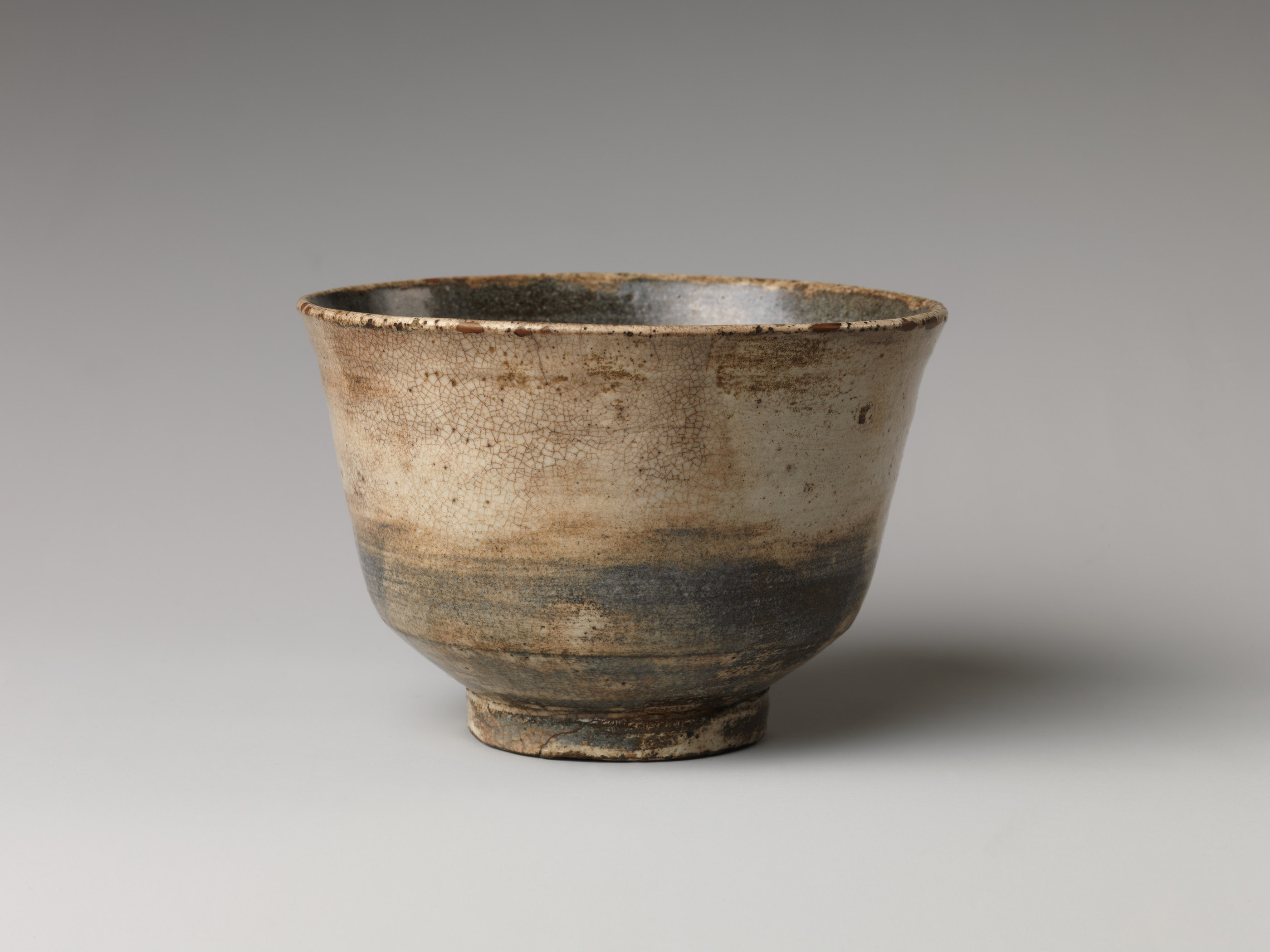
Reset to the original frame so the background is available again. Crop to a landscape shape with room around the center. Keeping the source proportions almost intact in this example made a 4:3 landscape export at 2800 × 2100. Those dimensions meet Etsy’s recommendation while keeping more of the backdrop. Save as a separate file. Its measured size was 449,208 bytes.
- In the Etsy listing editor, use the thumbnail adjustment preview when setting up your own listing.
- Inspect the center area and the views that can be cropped differently.
- Keep the outline and any essential feature away from tight edges.
- If the object sits heavily to one side in the photo, make a new crop from the master and check it in the listing preview again.
- Compare the intended item view at the scale shoppers are likely to see before relying on a file that only looks good full screen.
Reopen the files and record what passed.
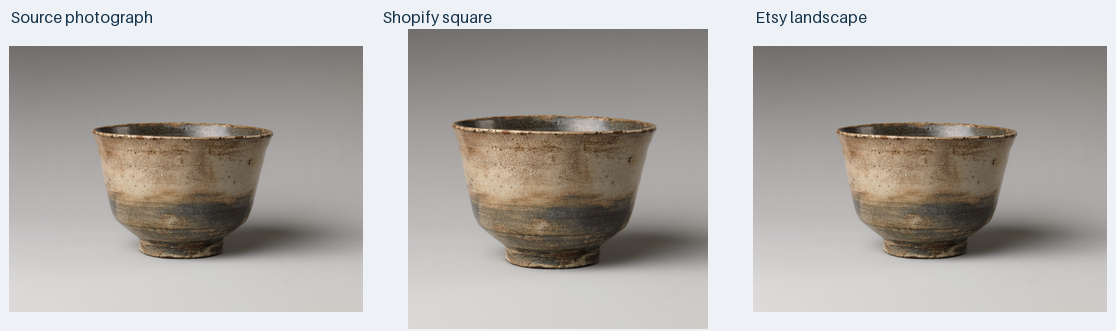
Compare each saved copy against the name and dimensions you recorded. Use the rendered comparison to see how the whole bowl survives both crops. Look at the rim and the base at actual inspection size, then make a smaller preview to check whether the outline remains clear. Compare the sRGB previews visually if the product’s color is important to the listing. Record the actual file size and the detected profile rather than estimating from the export dialog. Keep the size, the filename and the intended platform together so the rectangular and square versions do not get swapped later.
- If you need a smaller upload, begin with a fresh export from the master using new JPEG settings and recheck the details.
- Preserve the same crop and dimensions during that experiment so that a change in bytes can be compared separately from a change in composition.
Check your result
The lab reopened both outputs using Pillow, checked their JPEG format and exact pixel dimensions, read the embedded sRGB profile, and measured bytes from the files on disk. The accompanying visual comparison uses the reopened exports and shows the subject’s rim and foot inside both frames. The original was 1,005,766 bytes. The two export measurements reflect different dimensions and crops. Use the downloadable examples to repeat the size and framing check.
For your own listing, view the saved file at thumbnail size and at a size that reveals any details a buyer needs to see. Check both dimensions and color when inspecting the file, then review the crop in the appropriate listing or theme preview. The local test demonstrates the two prepared files. Live upload behavior and the final storefront previews depend on your account and display settings.
| File | Dimensions | Bytes | Embedded profile |
|---|---|---|---|
| met-bowl-original.jpg | 4000 × 3001 | 1005766 | sRGB.icc |
| shopify-bowl-2048.jpg | 2048 × 2048 | 390339 | sRGB built-in |
| etsy-bowl-2800x2100.jpg | 2800 × 2100 | 449208 | sRGB built-in |
Common mistakes
Treating the recommended square dimensions as a universal Shopify requirement. Choose the framing your theme needs and confirm the separate upload limits in the official guide.
Using the recommended dimensions for one side only. Etsy describes both width and height. Read them from the saved file after cropping.
Cropping the Etsy version from an already tight square. Reopen the master to recover the breathing room needed for the landscape and thumbnail views.
Sending a screenshot of the product photo when the editor preview looks correct. Open the final exported JPEG, verify its profile and shape, and use the actual file intended for upload.
Limitations
The image rules were checked on 2026-11-23. Both files were exported and reopened locally. Measurements cover this one photograph. Shopify theme rendering, Etsy thumbnail placement and live upload were outside the lab. Check those with your own listing before publishing. Shopify image specifications and Etsy image guidance.
Test record
Tested on 2026-11-23 with Pillow 13.0.0 under Python 3.14.4. Both JPEGs reopened at their target dimensions with embedded sRGB. The Shopify square measured 390,339 bytes and the Etsy landscape measured 449,208 bytes.
The measurement record lists the local outputs and their SHA-256 digests.
Tested in
Questions
Can I reuse a square photo for both platforms?
Etsy accepts a square first photo under its orientation guidance. Inspect the thumbnail placement before reusing that export. A separate landscape crop can preserve more room around an item from a landscape master.
Will changing the resolution field in an editor add pixels?
Check the actual width and height in pixels after saving. A print-resolution field by itself can change physical size information without adding any image detail.
Should every image have the same crop?
Keep the shapes consistent when that benefits the listing. Use supplementary images to show parts that a typical lead frame cannot present clearly, and review their appearance in the destination.
Why keep the original after exporting both sizes?
The original retains the most editing room. You can make a fresh crop or retry the JPEG settings without repeatedly recompressing the first export.