Split a large CSV into smaller files
Create smaller CSV files with the same header and verify that they reassemble to the original records.
Split the CSV with a parser that reads complete records, set a practical maximum data-row count per part, and write the original header at the start of each output file. In the local exercise, a 100,003-record file became four parts of 25,000 and a final part of three while keeping every value and preserving source order. Open each result as a separate CSV, compare its header and row count, and reconcile the combined records with the original file before treating the smaller files as a replacement for the single delivery.
What to look for
Use this guide when a CSV reader refuses an otherwise readable export because it has too many records, or when the recipient can review smaller files more reliably. The first error may mention rows, cells, size or an import limit. Measure the source and check the receiving constraint, then choose a part size appropriate for that specific constraint.
Splitting also helps when a delivery needs smaller batches for staged review. Preserve a clear order so that a person can tell whether a part is missing. If a small example already opens with wrong fields or garbled text, diagnose those issues before you split the whole source. A batch of smaller malformed files still requires the same structural repair.
Why it happens
CSV record boundaries depend on quoting. A field can contain both a comma and a line break, so the line breaks in a text editor can outnumber the data records a parser returns. A plain line cutter can split an open quoted field and leave invalid fragments. A CSV reader keeps the complete record together and uses the header as a separate first row. You can write each group with that same header, then validate it independently.
Before you begin
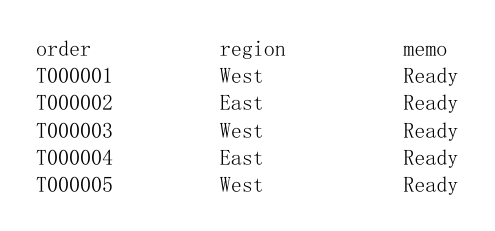
Use large-orders.csv, a generated sample with 100,003 data records, a header and a measured size of 2,000,121 bytes. It has order, region and memo fields. The first key is T000001 and the last is T100003. T025000 has a memo with an actual line break between Line one and Line two. The next record, T025001, has the comma-containing memo Review, then send. Those adjacent values let you check the first split boundary.
Keep the original in a working directory and write new numbered filenames beside it. Use a maximum of 25,000 data rows per part for this exercise. Record counts in this guide exclude the header. The split measurement identifies the parts, their actual byte sizes and the source keys at each boundary.
Steps
Measure the input and select a target count.
Open a small sample with an importer that respects CSV quoting, and confirm that every record has the same number of fields as its header. Measure the source’s bytes on disk. Confirm whether the destination limits rows, decoded cells or file bytes. A row target is useful for a record-count limit. A byte-limited receiver still needs a byte check on each finished output.
- In this run the site’s CSV reader rejected the complete input with its message about a 50,000-data-row limit.
- We chose 25,000 for each full part and then validated the actual result.
- For your export, leave enough room for the header and for any other constraint the receiver applies.
- Keep the original until every part has been delivered and checked.
Read the header once and preserve complete records.
Read the source as CSV and keep the parser’s header for reuse. Use a reader that handles double quotes, delimiter characters inside fields and newline characters in quoted text. Python’s CSV reader with newline handling disabled at the file layer gives the parser access to those characters. The exercise reuses the header order, with order, region and memo repeated in each part.
- Start the first group from the next complete data record.
- If you hit an unexpected field count, review that record in the original before continuing.
- It is easier to check the source while you still know the intended headings.
- Confirm the input encoding before processing a whole export, especially if you have to preserve punctuation or names in several scripts.
Write the groups under a stable sequence of filenames.
The core of the measured Python split reads up to the requested number of complete records per group and writes the header before them. To repeat the exercise, put large-orders.csv in the working directory. Use a new working folder for another export so the output paths remain easy to identify.
-
import csv from itertools import chain, islice
-
with open(“large-orders.csv”, encoding=“utf-8-sig”, newline=“”) as src: reader = csv.reader(src, strict=True) header = next(reader) part = 1 while (first := next(reader, None)) is not None: with open(f“large-orders-part-{part:03d}.csv”, “w”, encoding=“utf-8”, newline=“”) as out: writer = csv.writer(out) writer.writerow(header) writer.writerows(chain([first], islice(reader, 24_999))) part += 1
-
This loop takes the first data record separately and adds up to 24,999 more.
-
It writes a part only when there is a record to write.
-
The sample therefore ends with a small part containing three records and the same header.
-
Open every part and inspect its boundaries.
Parse each result separately. Check the header text, the number of fields in each record and the counts from the actual finished files. In the local trial, the first four parts had 25,000 records each and the fifth had three. The first part ends at T025000, and the second begins at T025001. Use the memo column on both records to verify that quoting preserved punctuation and the embedded line break.
- The lab also reopened all five parts with the site’s CSV reader and checked their first and last keys.
- A WPS spot check opened the first part with the expected 25,000 rows and three columns.
- In your workflow, use the same receiving constraints for each part and confirm that it opens as a valid separate file before sending it onward.
Reconcile the entire sequence and share the identified set.
Add the data-row counts across the outputs. For the exercise the total is 100,003. Compare the ordered concatenation of the parsed records with the complete original, reading each part after its header. This catches a missing record, duplicated boundary or changed value that a count alone can miss. The lab checked every row in order across all five files.
- Record the first and last key in each part, the data-row count and the saved bytes.
- Send the complete ordered set with that information when the recipient needs to reconstruct or verify it.
- Include the schema once in the delivery notes if types matter to the import.
- Each actual CSV still carries its own header so it can be opened independently.
Check your result
Count complete CSV records and exclude the header from the comparison. The source sample has 100,003 data records and 100,005 physical text lines because it also has the header and a quoted memo with a line break. This is why a count of physical lines will give the wrong data-row total. Verify that each part’s header is the same and that the record at each boundary belongs wholly to one part.
The full source and the five outputs were reparsed, and every joined record matched in order. Download the source and first part below, then open part 002, part 003, part 004 and part 005. Check the sum, inspect the known memo fields, and use the measurement record to identify exactly what was verified. If a receiving process has a byte limit too, compare its limit with each part’s actual byte size.
| File | Data rows | Bytes | First order | Last order |
|---|---|---|---|---|
| large-orders.csv | 100003 | 2000121 | T000001 | T100003 |
| large-orders-part-001.csv | 25000 | 500033 | T000001 | T025000 |
| large-orders-part-002.csv | 25000 | 500033 | T025001 | T050000 |
| large-orders-part-003.csv | 25000 | 500019 | T050001 | T075000 |
| large-orders-part-004.csv | 25000 | 500019 | T075001 | T100000 |
| large-orders-part-005.csv | 3 | 93 | T100001 | T100003 |
Common mistakes
Splitting on physical lines. Read with a CSV parser. The boundary memo in this exercise spans two lines while belonging to one record.
Counting headers as data. Treat the first parsed row of each part as its header before adding record counts or reassembling the source.
Checking only the total count. Reconcile ordered whole records or use trusted keys and field comparisons. Counts can agree even if a boundary row was duplicated and another omitted.
Assuming a row count guarantees a byte size. Measure each output. Long values and repeated headers can affect the result even when two parts have the same number of rows.
Limitations
The measured workflow uses a comma-delimited UTF-8 source with a header and consistent field counts. Choose the correct dialect and encoding before processing another source. Plan the part size for the actual receiving limit and check the complete set after saving it.
Test record
Tested on 2026-11-23 with Python csv 3.14.4 under Node.js v26.4.0. We checked the complete ordered record sequence with Python and opened every output with the site CSV reader under Node.js v26.4.0. WPS Spreadsheets 12.1.0.29161 also reopened the first part at the expected dimensions.
The measurement record lists the local outputs and their SHA-256 digests.
Tested in
Questions
Does every part need the same header?
Use the same header when the parts are supposed to open on their own. Skip that header in each part when comparing the combined data records with the original.
Can a row cross a part boundary if it contains a line break?
A CSV parser returns the quoted value as part of one complete record. In the exercise the record that ends the first part contains a line break and is still wholly in that part.
Why is my final part smaller?
It contains the remaining records after the full groups were written. The measured file left three records for the final part. Check its header and expected last key as you would for any other part.
How can I verify that all results open?
Read all parts separately in the intended import workflow, compare their headings and counts, then reconcile the complete sequence with the original parser output. Check representative values where quoting matters.